- STRIPE_KEY
- DB_URL
Your keys, rounded up.
One vault for your project keys. Agents get access, never the values.
An interactive cartoon. A small robot, an AI agent, has a job: deploy the shop. It needs three API keys, but the keys are little creatures with legs scattered across a messy desktop: one asleep in an old .env file, one hiding behind a screenshot, one too fast to catch. Every key the agent grabs leaks into the chat transcript and gets copy-pasted, and a "keys exposed" meter climbs. Then Dial, the VaultOS vault-door mascot, waddles in and whistles. The keys freeze, line up behind Dial like ducklings and march into its door. Clunk. The agent asks for STRIPE_KEY for the shop; Dial winks and slides sealed envelopes straight into shop/.env. The agent gets its keys without ever seeing a value. Your keys, rounded up.
Steer with the mouse or arrow keys · click or press G to grab · Enter calls Dial
how it works
One pen per project. Every key tucked in.
New project, same keys, another .env file? VaultOS gives each project its own pen, so every key sleeps where it belongs. Group keys by project, search by name or provider, and check expiry dates in one place.
You choose which projects and folders each agent can reach.
search by name or provider
- OPENAI_KEY
- AWS_SECRET
- GITHUB_TOKENexpires in 12 days
shh. they’re sleeping.
for your coding agents
Agents get access, not secrets.
When your agent needs a key, Dial seals it in an envelope and slides it into the project’s env file through MCP. The tool response says what was written. It never says the value.
- Choose the projects, folders and actions each agent gets.
- Write dotenv, JSON, or shell format.
- Connect any coding client that supports local MCP servers over stdio.
STRIPE_KEY for the shop, please?
Sealed. Delivered.
shop/.env
STRIPE_KEY=••••••
DB_URL=••••••
OPENAI_KEY=••••••
value never shown
mac + linux
Two machines, one herd.
VaultOS runs on macOS and Linux. Want the same vault on both? Turn on sync and your keys travel as a sealed, signed, encrypted crate through a Git repository you choose. If a crate doesn’t check out, Dial turns it away at the door.
the herd, at home
same herd, other desk
That signature doesn’t check out. Shoo!
Sync is optional and needs its own separate Git repository.
you’re in charge
You’re the boss.
Agents can ask. You decide. An agent needs your permission to edit credentials you own, and a brand-new key waits for your yes before it can be written into a project. Seeing a value is a separate permission, and it’s off by default.
Step away and Dial locks up: when your Mac sleeps, the screen locks, or 15 minutes pass without a privileged action in the desktop app.
An agent wants to add OPENAI_KEY to shop/.env.
Try it. It is only a demo, so nothing is written.
Touch ID? Optional.
local, no cloud
Local by default. No cloud in sight.
Your vault is encrypted and lives on your machine. There’s no account to create, no telemetry, and no automatic cloud upload. You can choose to remember your password in Keychain.
- encrypted vault, stored right here
- no account
- no telemetry
- no automatic cloud upload
the real app
And here’s the real thing.
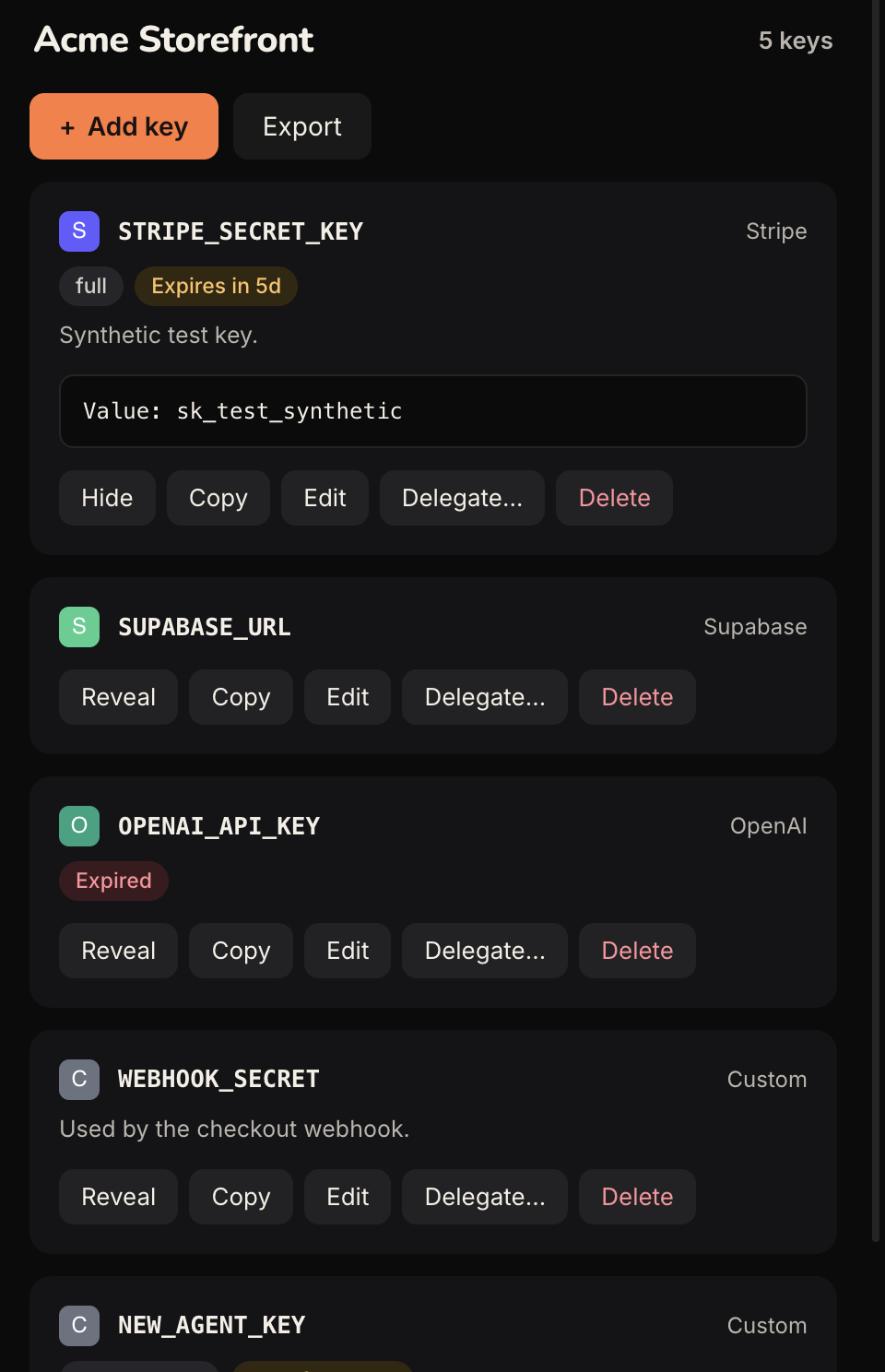
Find a key, check its details, and manage agent access from one desktop app. Your secrets stay organised as your projects grow.
- Organise credentials by project.
- Approve access before an agent gets it.
- Reveal a key when needed. Lock when you’re done.
good questions
Questions, answered plainly.
A few things to know before you hand over a key.
get started
Ready to round up your keys?
Try it with one project and a test key. See how it fits the way you work.
- 1
Install the preview.
Download the preview for your Mac. Verify its checksum, open it, and create a vault with a passphrase you’ll remember.
Get the preview - 2
Choose the access.
Add a project. Enroll your agent. Choose its permissions and the folders it can write to. Save its token in a private file.
Connect your agent - 3
Let your agent help.
Give it the setup prompt. It can prepare the MCP bridge and verify a test injection. You handle passwords and approvals.